
Flowchart
BIOS
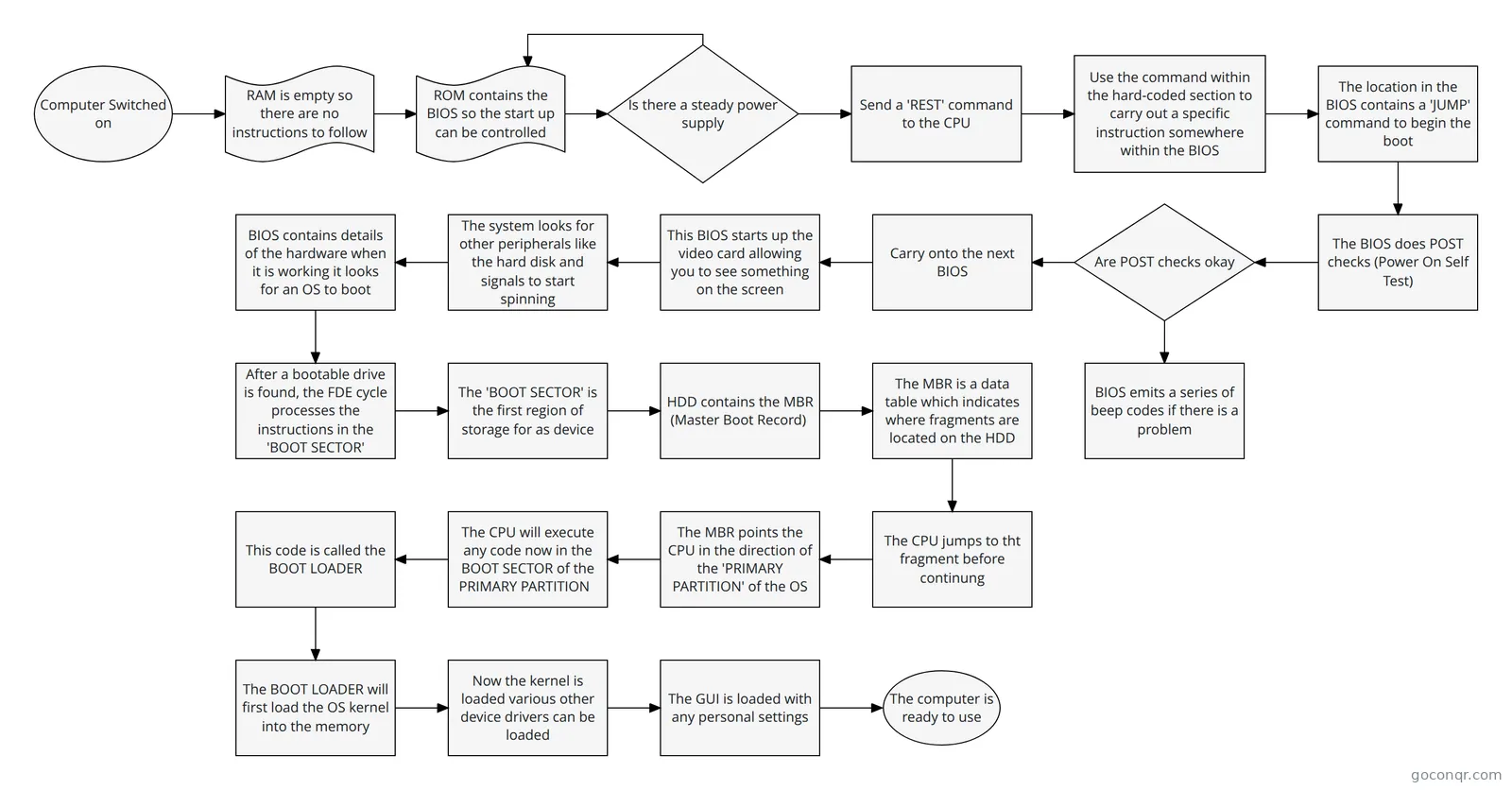
Flowchart: BIOS boot process
Flowchart content
Computer Switched on
RAM is empty so there are no instructions to follow
ROM contains the BIOS so the start up can be controlled
Is there a steady power supply
Send a 'REST' command to the CPU
Use the command within the hard-coded section to carry out a specific instruction somewhere within the BIOS
The location in the BIOS contains a 'JUMP' command to begin the boot
The BIOS does POST checks (Power On Self Test)
Are POST checks okay
BIOS emits a series of beep codes if there is a problem
Carry onto the next BIOS
This BIOS starts up the video card allowing you to see something on the screen
The system looks for other peripherals like the hard disk and signals to start spinning
BIOS contains details of the hardware when it is working it looks for an OS to boot
After a bootable drive is found, the FDE cycle processes the instructions in the 'BOOT SECTOR'
The 'BOOT SECTOR' is the first region of storage for as device
HDD contains the MBR (Master Boot Record)
The MBR is a data table which indicates where fragments are located on the HDD
The CPU jumps to tht fragment before continung
The MBR points the CPU in the direction of the 'PRIMARY PARTITION' of the OS
The CPU will execute any code now in the BOOT SECTOR of the PRIMARY PARTITION
This code is called the BOOT LOADER
The BOOT LOADER will first load the OS kernel into the memory
Now the kernel is loaded various other device drivers can be loaded
The GUI is loaded with any personal settings
The computer is ready to use
Information
- Description
- Flowchart of the BIOS boot up
- Created by
- Tegan-Lianne Gardiner
- Views
- 683
- Rating